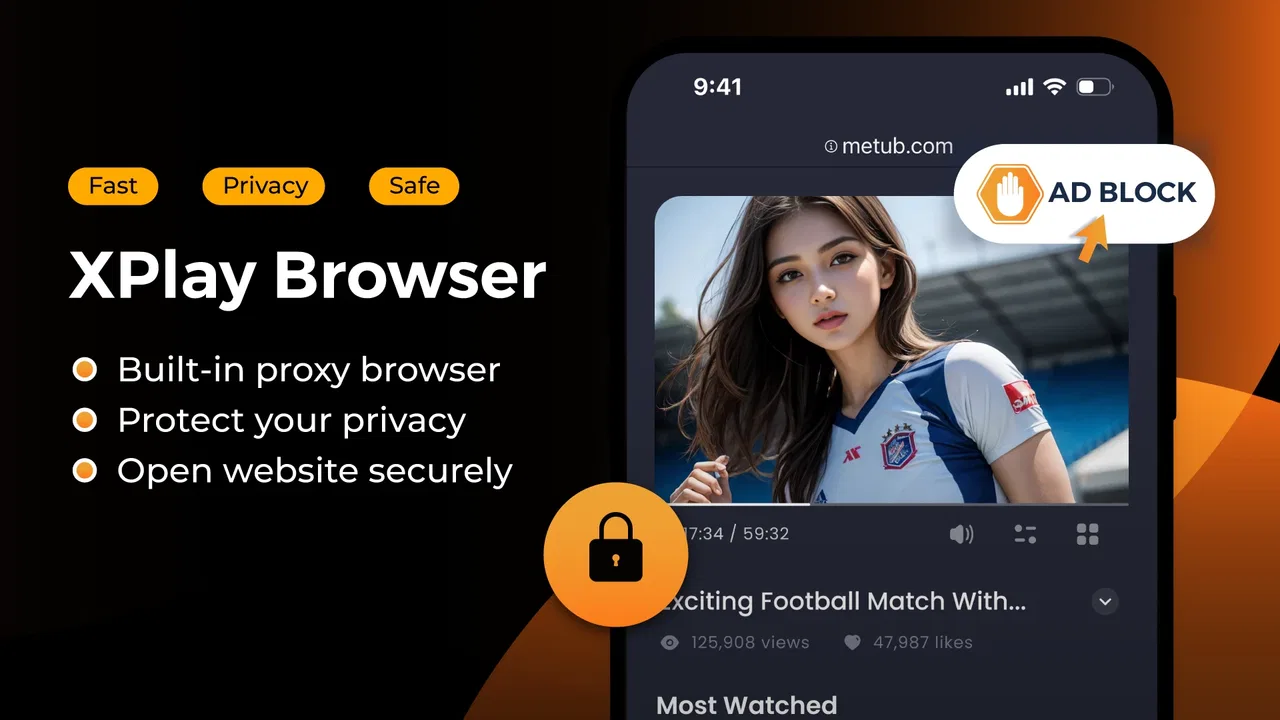
Pro Web Browser: Safe, Private
- 3.5
- Rating
- 500.00K
- Installs
- Free
- Price

 Analysis by App-foxy
I approached Pro Web Browser: Safe, Private as a practical communication app rather than just another way to open websites. Its appeal is straightforward: browsing, one-tap video downloads, and file handling are brought together in one place, with privacy presented as the central idea. After spending time with that combination, I think it makes the most sense for people who regularly move between web pages, saved videos, and downloaded files and would rather not switch between several separate tools.
It is free, aimed at everyone, and published by Amobear Application Publishing. The app has passed the half-million-install mark, which gives it some visibility beyond a small experiment, although its average rating sits at 3.5 from roughly 244 ratings. That mixed reception is useful context: this is not a universally polished browser that will replace every established option. It is a focused alternative with a convenient workflow, but one that deserves realistic expectations about speed, stability, and how much work it can handle comfortably.
How Pro Web Browser: Safe, Private feels in everyday use
I find the appeal of this browser clearest when I think about the small handoffs in an ordinary online session: discovering something on a page, deciding to keep it, and later finding it again. Its combined browsing and file-handling approach can make that routine feel less fragmented, while also asking me to be deliberate about what I save. That balance between convenience and control leads naturally to how the app shapes the pace of a session.
You May Also Like

 Blood Strike: 2.5 Anniversary
Blood Strike’s Loadouts Turn Every Drop Into a Tactical Gamble
A close look at Blood Strike’s custom loadouts: how fast access to signature weapons reshapes its battle royale rhythm, rewards preparation, and narrows the gap between fights.

 Pandora - Music & Podcasts
Pandora’s Music Is Easy to Start, but Harder to Recover
Pandora’s strength is its low-effort path from a seed to a station. Its weak spot is how much confidence it asks you to place in connection, setup, and quiet recovery.

 8 Ball Pool
 Is Built on Rivalries, Rematches, and Routine
A close look at the rivalries, rematches, shared routines, and unanswered safety questions that turn a quick pool match into a persistent mobile community.

 Samsung Music
’s Quiet Strength Is Playing What You Already Own
Its reach comes less from spectacle than from dependable access to a personal library. That simplicity is both the app’s strongest retention engine and its ceiling.

 AccuWeather: Weather Radar
AccuWeather Review: A Quick, Clear Forecast for Everyday Decisions
For everyday plans, the best forecast is the one you can understand quickly. AccuWeather makes rain timing, radar, and local conditions easy to act on, with a few trade-offs.

 Hill Climb Racing
Why Hill Climb Racing Still Turns Crashes Into One More Run
A tiny car, a bumpy hill and one more upgrade: Hill Climb Racing keeps resurfacing because its simple chaos makes every near-miss feel personal.
More From Our News Desk



A quick start, with convenience doing most of the work
The strongest first impression is not a dramatic visual effect or an unusually large feature set. It is the reduced number of steps between finding something online and doing something with it. A conventional browser is excellent for opening pages, but the moment I wanted to save a video or locate a downloaded document, I would normally move to another app. Here, those actions belong to the same general workspace.
That matters most in short sessions. If I am checking a page, saving a video for later, and then looking for the saved item, the built-in file manager gives the process a more continuous feel. I do not have to remember which download tool handled the file or search through several apps to find it. The benefit is less about raw browsing speed and more about reducing friction after the page has loaded.
I would not interpret the privacy language as a guarantee that every online activity becomes invisible. A private browser can reduce traces on the device, but privacy also depends on the websites visited, the files downloaded, the network being used, and the choices made while browsing. That distinction is important for anyone considering this app for sensitive work. It is better viewed as a privacy-oriented browsing tool than as a complete anonymity solution.
The interface is likely to appeal to users who prefer a compact utility over a browser filled with separate menus. The trade-off is that an all-in-one design can make file handling feel more central than it would in Chrome, Safari, or Firefox. If your main goal is synchronized browsing across devices, deep extension support, or a mature ecosystem, the usual alternatives remain more convincing. If your main goal is browsing plus simple local handling, this app has a clearer reason to exist.
What speed feels like when the task is simple
For ordinary reading, searching, and opening lightweight pages, I would expect the app to feel responsive enough on a reasonably maintained phone. The design goal appears to be direct access rather than a complicated browser dashboard, so the early part of a session should feel uncomplicated. The important qualification is that perceived speed depends heavily on the page itself and the device. A browser cannot make a media-heavy site behave like a plain text page.
Video downloads also change the definition of speed. The useful question is not only how quickly a page appears, but how quickly the app identifies a downloadable item, begins the transfer, and makes the result easy to locate. A fast connection will matter more than the browser brand in many cases. Large files, busy websites, and limited storage can all turn an apparently simple tap into a longer process.
My practical advice is to treat the one-tap function as a shortcut, not as a promise that every video on the internet will be available in the same way. Websites organize media differently, and some content may be protected or presented through a player that does not expose a straightforward file. The app is most useful when the page and its media are compatible with the download workflow. A user who downloads occasionally should find that convenient; someone who expects universal media extraction may become frustrated.
Heavy-use moments reveal the real trade-offs
The combined browser and file manager becomes more valuable during a busy session, but busy sessions are also where I would pay closest attention to resource use. Several open pages, a media download, and file browsing at the same time create a more demanding workload than reading one article. Even without assigning a made-up performance figure, it is fair to say that this is the situation in which memory pressure, background activity, and available storage become more important.
On a newer phone with comfortable free space, the all-in-one approach should feel practical. On an older or crowded device, I would avoid starting several downloads while keeping many media-rich pages open. Closing finished pages, reviewing downloaded files, and leaving room for temporary data are sensible habits. These are not special tricks so much as ways to prevent a utility browser from being blamed for conditions caused by the device itself.
There is also a workflow trade-off that is easy to overlook. A built-in file manager saves switching, but it can encourage users to accumulate files because saving something feels effortless. I recommend treating the download area as a working inbox: use it for items you intend to watch, share, or move, then clear what you no longer need. That keeps the app easier to navigate and reduces the chance that an important file is buried among forgotten videos.
For a realistic example, imagine commuting with an unreliable connection. Before leaving, I could browse for a permitted video, save it through the app, and later find it in the same environment without opening a separate file utility. That is a genuine strength. The limitation is that the experience still depends on the source page, storage space, and the phone remaining comfortable during the transfer. The app simplifies the routine; it does not remove those practical constraints.
Stability and recovery matter more than a fast first tap
A browser earns trust through what happens when something goes wrong. Pages can fail to load, connections can drop, and downloads can stop halfway through. In those moments, I would judge this app less by whether every session is perfect and more by how clearly it lets me understand what happened and continue without repeating unnecessary work.
The available product details establish the browser, download, and file-management focus, but they do not justify claiming a particular resume system, backup method, or recovery screen. I would therefore plan conservatively: when saving something important, check that the file is actually present before leaving the page, and avoid assuming that an interrupted transfer will always continue automatically. That small verification step is especially worthwhile on mobile connections.
The same caution applies to private browsing expectations. If a session contains information I would not want another person using the phone to find, I would still close the session and manage saved files deliberately. A downloaded video or document is a local item, not merely a browsing trace. The built-in file manager makes that distinction visible, which is useful, but it also means privacy-conscious users need to remember that saved content requires its own cleanup.
The app’s current version is 0.0.10.260128, so I would approach it as a relatively early-stage product rather than a finished replacement for browsers with many years of refinement. That does not make it unusable. It simply changes how I would rely on it. For casual browsing and convenient downloads, experimentation is reasonable. For work that depends on flawless sessions, extensive compatibility, or a mature recovery path, I would keep a more established browser available.
Device limits and the minimum starting point
Compatibility begins at Android 8.0, which keeps the app accessible to many phones that are no longer running the newest software. That is helpful for users who want a modern browsing utility without replacing an older handset. Still, operating-system compatibility is only the starting point. Available memory, storage, connection quality, and the condition of the phone will shape the experience just as strongly.
On a device with limited storage, the download feature deserves special attention. A browser may be free to install, but saved media can consume space quickly. I would check storage before a long download session and periodically review the file manager rather than waiting for the phone to warn me. This is one of the more important differences between using the app as a normal browser and using it as a browser with a media library attached.
Older phones can also make multitasking feel less comfortable. Keeping the app open while moving between a page, a download, and local files may be convenient, but a modest device may reload screens or close background work more readily. I would use it in shorter, focused sessions on such hardware. For reading and occasional saving, that should be a reasonable compromise; for constant media handling, a newer phone or a dedicated download workflow may be better.
Battery expectations should be equally practical. Browsing a simple page is different from streaming or downloading large media, and the latter naturally places more demand on a mobile device. I would avoid judging the app’s efficiency from one long download alone. At the same time, users who spend hours online every day may prefer a browser whose broader ecosystem, settings, and optimization history are already familiar to them.
Who will get the most from this browser
I see the best fit in someone who wants a private-leaning browser with a simple path from web discovery to local storage. That could be a student collecting reference videos for offline review, a traveler preparing permitted media before a weak-connection journey, or a user who dislikes searching through a separate downloads application. The built-in file manager is not just an extra label here; it changes the way the app can fit into a daily routine.
It may also suit people who want a secondary browser for specific tasks. I would not necessarily make it my only browser immediately. Keeping it alongside a familiar option lets me use its download and file workflow when needed while relying on the established browser for account-heavy sites, synchronized bookmarks, or services that require especially dependable compatibility.
On the other hand, I would skip it if my priority were a polished cross-device ecosystem, advanced customization, or a long list of mature browser tools. I would also hesitate if I rarely download anything and simply want the fastest, most predictable way to read pages. In that situation, the built-in file manager may add little value, while a mainstream browser’s synchronization and broader testing could matter more.
Small habits that make the experience better
My first tip is to separate browsing decisions from storage decisions. Before tapping a download, ask where the file should live and whether it is something you will actually use. The app’s convenience makes saving easy, but a clean file area makes later retrieval much faster. Naming and organizing files immediately, when the option is available, is more effective than trying to sort a large collection later.
My second tip is to test the workflow with an unimportant file before relying on it for a trip or a deadline. Open a suitable page, try the download action, locate the result through the file manager, and confirm that it plays or opens as expected. This catches practical issues involving the source page, storage, or the device before they become urgent.
My third tip is to use the app’s privacy focus thoughtfully rather than treating it as a substitute for careful behavior. Avoid leaving sensitive downloads in plain sight, close sessions when finished, and remember that websites can still recognize activity through their own systems. The browser can reduce local clutter and traces, but privacy is a chain of choices, not a single switch.
Finally, when performance feels uneven, change one variable at a time. Close unused pages, stop an unnecessary download, free storage, and try the same task again on a simpler site. That approach tells me whether the problem is the page, the connection, the phone, or the app. It is more useful than assuming that a single slow session proves the browser is always slow.
My performance verdict after weighing the whole package
Pro Web Browser: Safe, Private is appealing because it connects three tasks that are often separated: browsing, saving videos with a tap, and managing the resulting files. Its performance value is therefore measured by workflow efficiency as much as by page-loading speed. When I want a focused session and a clear route to saved content, that combination can feel more efficient than moving between a standard browser and a file utility.
Its weaknesses are equally clear. The relatively early version suggests that I would leave room for rough edges, and the average rating of 3.5 indicates that the experience has not satisfied everyone. I would not promise flawless recovery from interrupted downloads, universal compatibility with every media page, or the same depth as long-established browsers. Those are important limitations for anyone choosing a primary browser.
Still, the app has a sensible audience. It is free, available for Android devices beginning with version 8.0, and accessible to users of all ages. With more than 500K installs, it is not an obscure one-off utility, but its scale should not be mistaken for proof that it is the best option for every phone. My recommendation is conditional but positive: try it if integrated downloads and local file handling are central to your browsing habits, and keep a conventional browser nearby if synchronization, demanding websites, or maximum reliability matter more.
In short, I would recommend Pro Web Browser: Safe, Private as a practical secondary browser or a focused everyday tool for people who value a compact download workflow. Its real strength is the handoff from web page to local file, while its main concern is whether the early-stage experience remains dependable under heavier use. Used with sensible storage and privacy habits, it can be genuinely useful; used as a universal replacement for every mature browser, it is a harder recommendation.
FAQs for Pro Web Browser: Safe, Private
01Is Pro Web Browser truly private and secure?
Yes, Pro Web Browser prioritizes user privacy and security. It incorporates advanced encryption technologies to ensure that your data remains confidential while browsing. Additionally, it features a built-in ad blocker and tracking protection, which help to prevent third parties from accessing your personal information.
02Does Pro Web Browser support extensions and add-ons?
Currently, Pro Web Browser offers a range of built-in features that enhance functionality without the need for additional extensions. While it does not support third-party add-ons at this time, the browser includes essential tools like a password manager and a download manager for a seamless experience.
03How does Pro Web Browser handle data usage?
Pro Web Browser is designed to optimize data usage by compressing web pages and blocking unnecessary ads and trackers. This not only speeds up your browsing experience but also reduces the amount of data consumed, making it ideal for users on limited data plans or when using mobile networks.
04Is Pro Web Browser compatible with all websites?
Pro Web Browser is compatible with most websites and offers a smooth browsing experience. However, some sites that require specific plugins or extensions might not function optimally. The development team regularly updates the browser to improve compatibility and address any issues that arise with new web technologies.
05Can I sync my data across multiple devices with Pro Web Browser?
Yes, Pro Web Browser allows you to sync bookmarks, history, and settings across multiple devices. By creating an account, you can access your personalized browsing data from any device where the browser is installed, ensuring a consistent and convenient user experience.
Pros
- Fast browsing with minimal lag.
- Strong privacy features ensure secure surfing.
- User-friendly interface ideal for all ages.
- Ad-blocker enhances browsing experience.
- Low data usage
- great for limited plans.
Cons
- Limited customization options.
- Occasional crashes on older devices.
- Few third-party extension integrations.
- No offline reading mode available.
- Limited language support in settings.

Pro Web Browser: Safe, Private
Gallery